Understand your lab results and checkup reports
Snap a report, and each test name, value, unit, and reference range is extracted automatically. Every new report sits next to your results from past years, and AI explains the changes based on your medical history.


For iPhone, iPad, and Android · 16 languages
Snap or import, and the details are extracted
Add checkup reports, lab results, and other test reports with the camera, from Photos, or from Files. Photos and PDFs both work, and you can also forward report emails to a dedicated address. Extracted details wait for your confirmation and go into the record after you check them against the original.
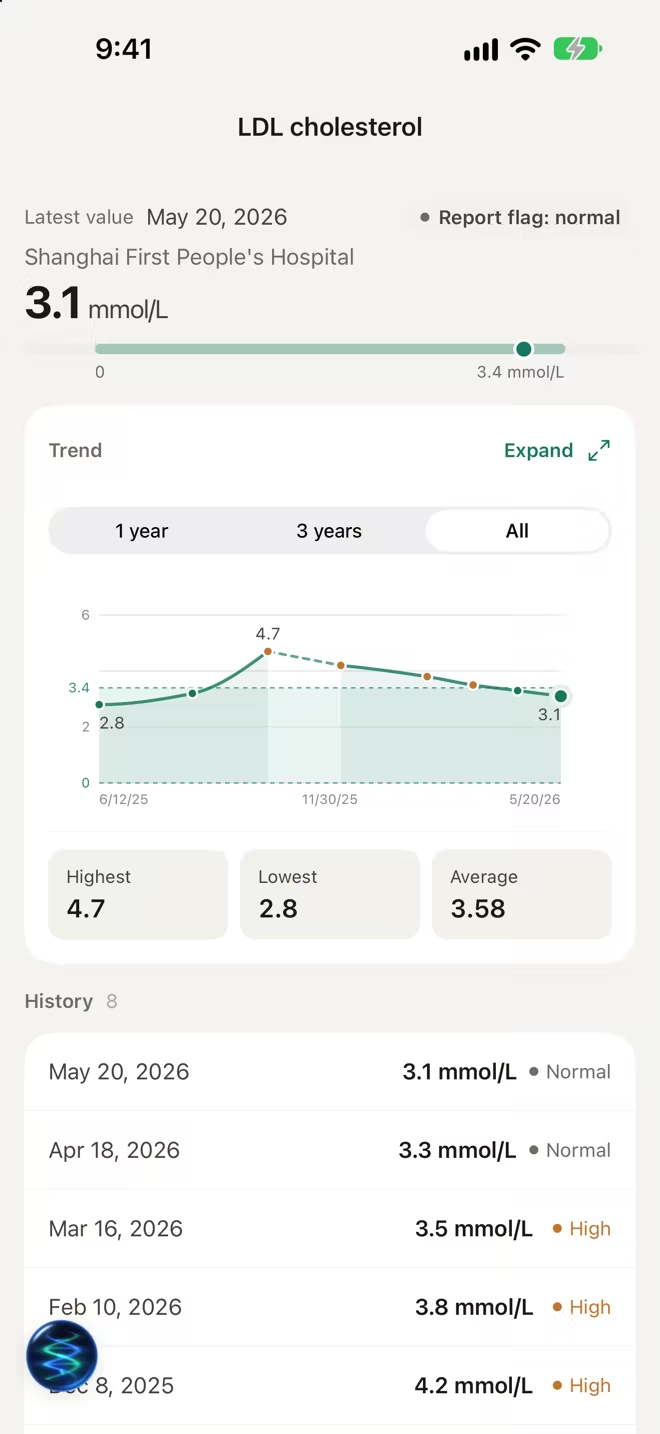
Compared with past years
Results for the same test from different years, hospitals, and units are lined up by date, and comparable values form a trend chart. A single result is hard to judge on its own. Set against several years of records, it shows whether a change is a one-off or a lasting trend.
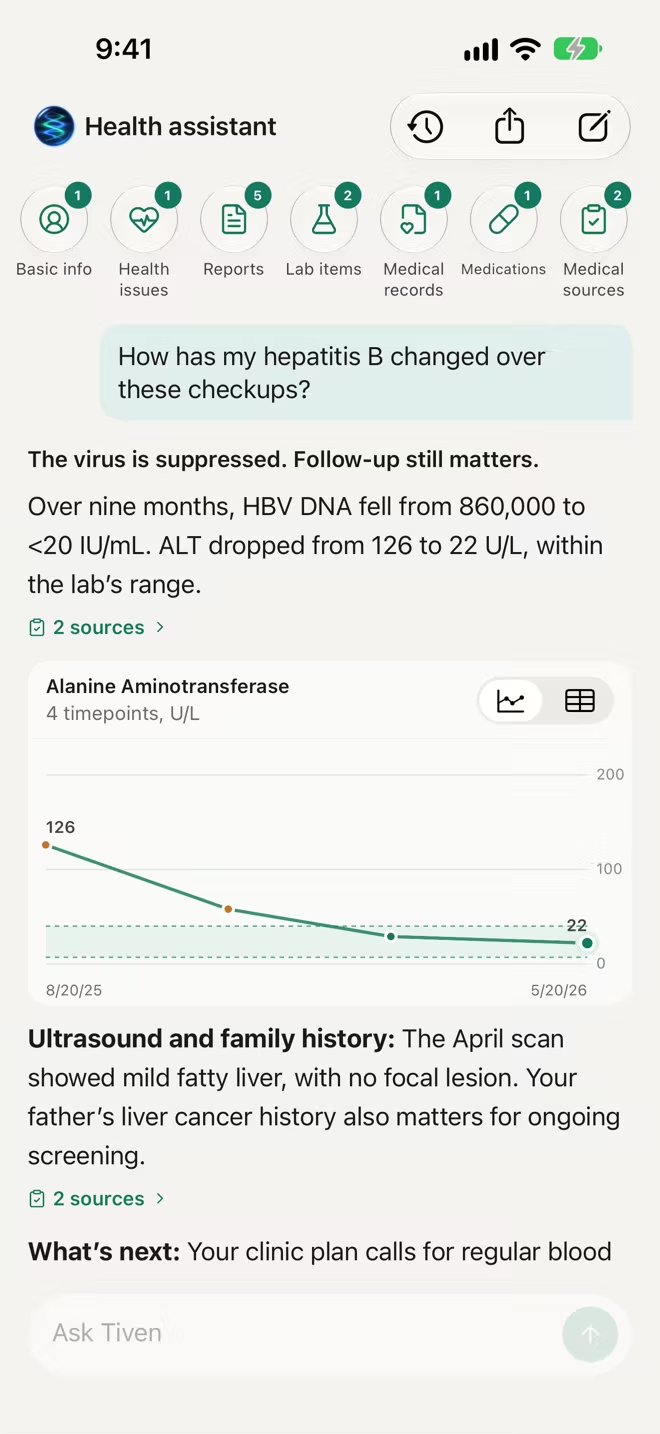
AI explanations based on your history
Ask about a report or a result. AI draws on the person's medical records, medications, and past tests to explain notable changes, possible causes, and next steps, and shows the sources behind every answer.
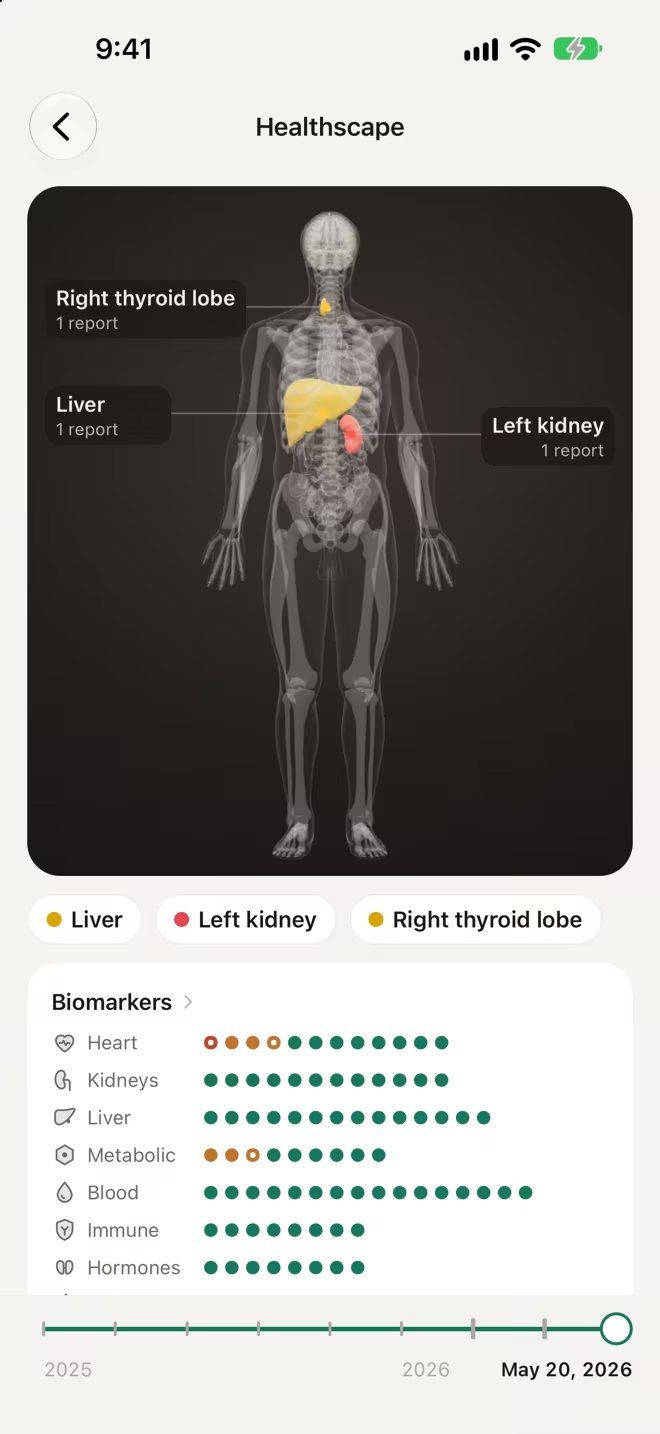
See your reports on the body
Healthscape places findings from your reports on the part of the body they relate to, so you can tell at a glance what's still there and what has improved.
Frequently asked questions
Which reports can I add?
Checkup reports, lab results (such as a complete blood count, metabolic panel, liver function tests, and lipid panel), imaging reports, and clinic records. Photos, screenshots, and PDFs are all supported.
Are the extracted values accurate?
Extracted details wait for your confirmation, so you can check each one against the original before it goes into the record. Abnormal flags are copied exactly as printed on the report. Tiven doesn't judge the values on its own.
Can the AI replace my doctor?
No. The AI explains notable changes and their possible causes and suggests next steps. It doesn't diagnose, and it doesn't suggest starting, stopping, or changing any medication. Talk to your doctor about medical decisions.
More Tiven features

Download Tiven for free
iPhone and iPad require iOS 17 or later · Android requires Android 8.0 or later